For Monash students · Windows
Collects every file.
Reads every lecture.
Hands it to your AI.
It runs the weekly chore without you: material filed into the right week, recordings turned into text you can search, grades logged as they post. What you are left with is a folder you can paste straight into whichever model you already use.
Free and open source · 75 MB · nothing to install
It runs the whole chore, and hands you something a model can read.
Runs without you
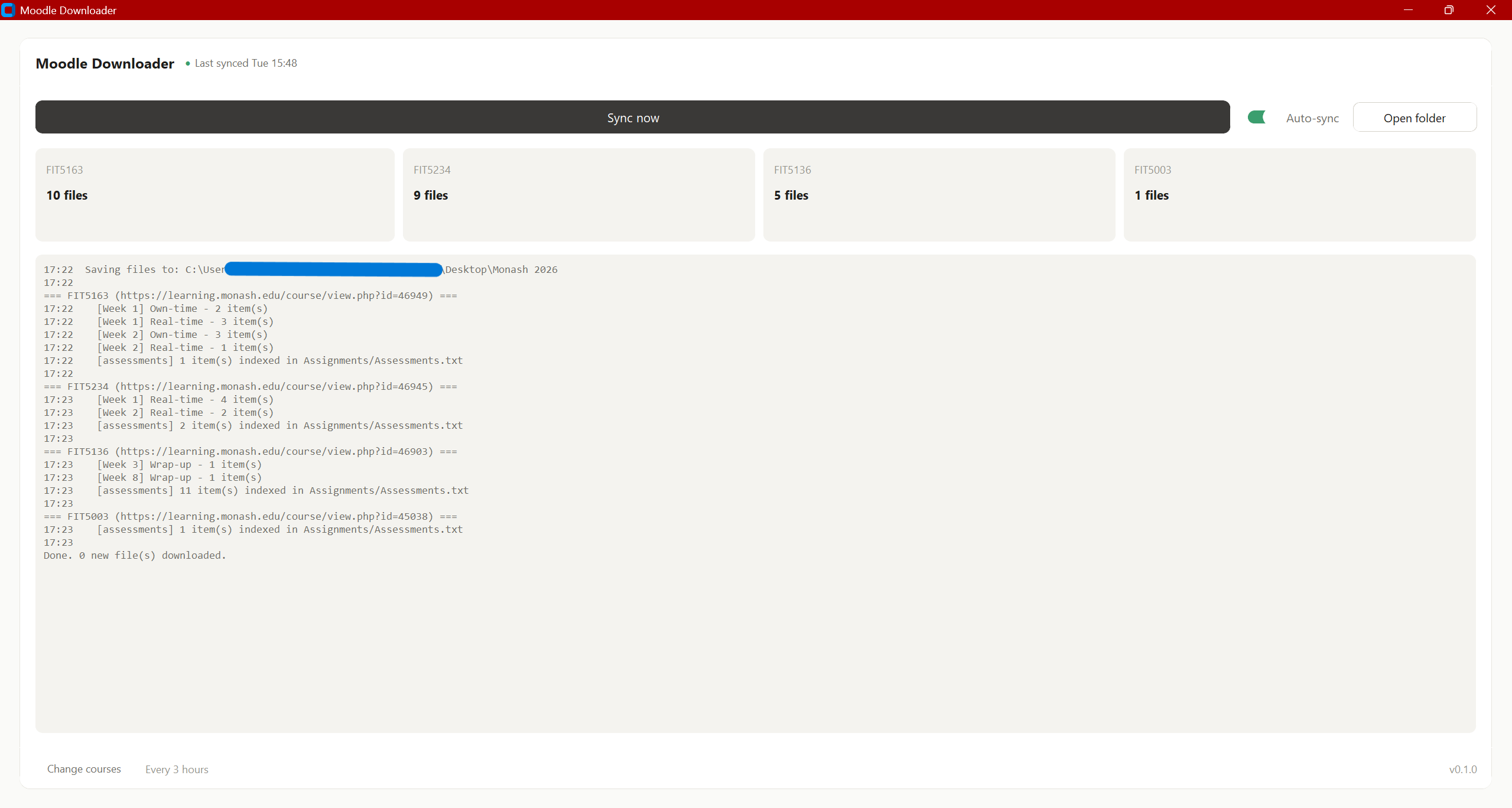
Starts at login, wakes every few hours, stays out of the way. Nothing to remember, nothing to click — you only see it if your Monash login genuinely expired.
Collects what you missed
Every unit, every nested section, every week. Solutions posted three days after class arrive on their own, and nothing is ever downloaded twice.
Reads every recording
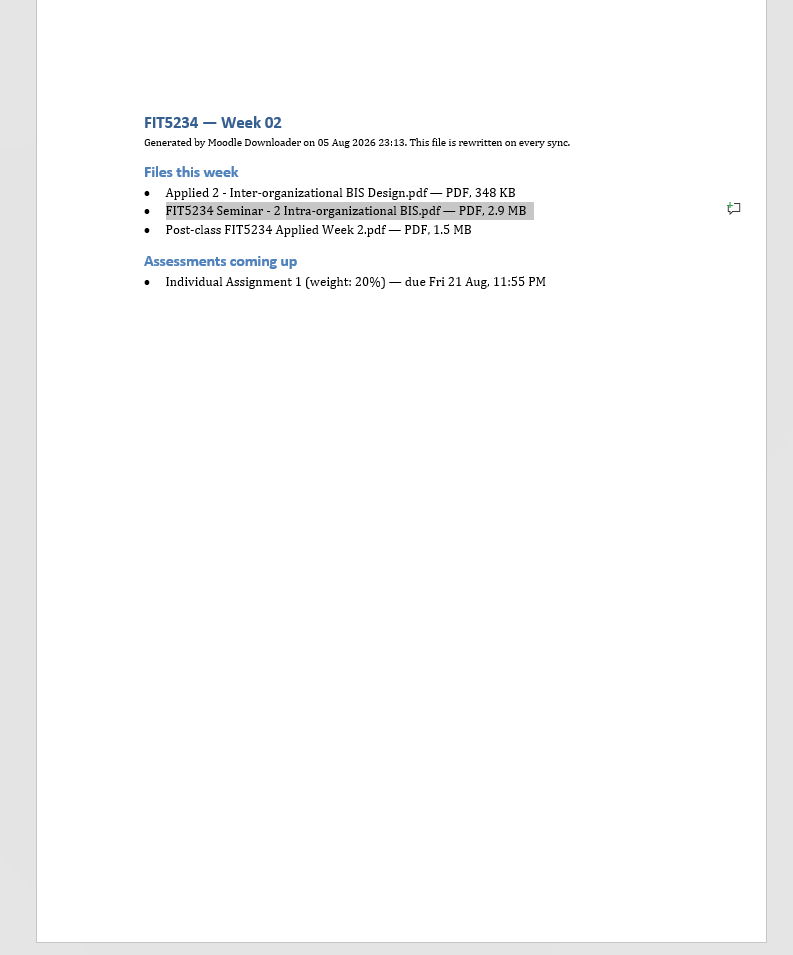
No video is downloaded — only its captions, written out as a document. A week of lectures becomes text you can search instead of scrub through.
Feeds your own AI
Transcripts and notes ship as Word and plain text, so you can paste a week into any chatbot. Optional summaries use your own key, from any of eight providers.
Tracks your grades
Results are recorded per unit as they post, so the same folder tells you what landed, what was said, and how you did.
Never sees your password
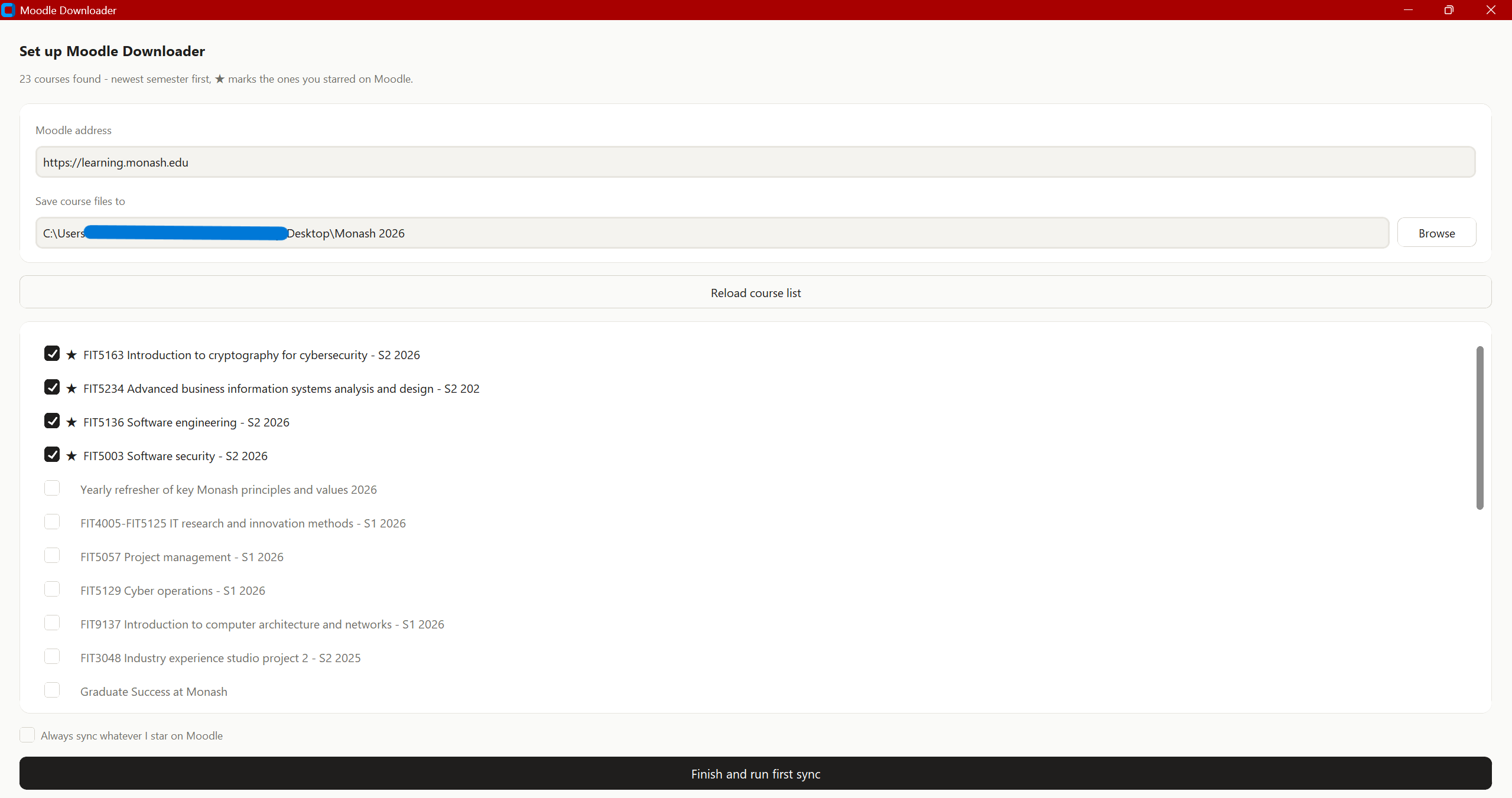
Login happens in a real browser on Monash’s own page, with MFA. The app watches for success and keeps only the session.
What you end up with
A folder that is always already correct.
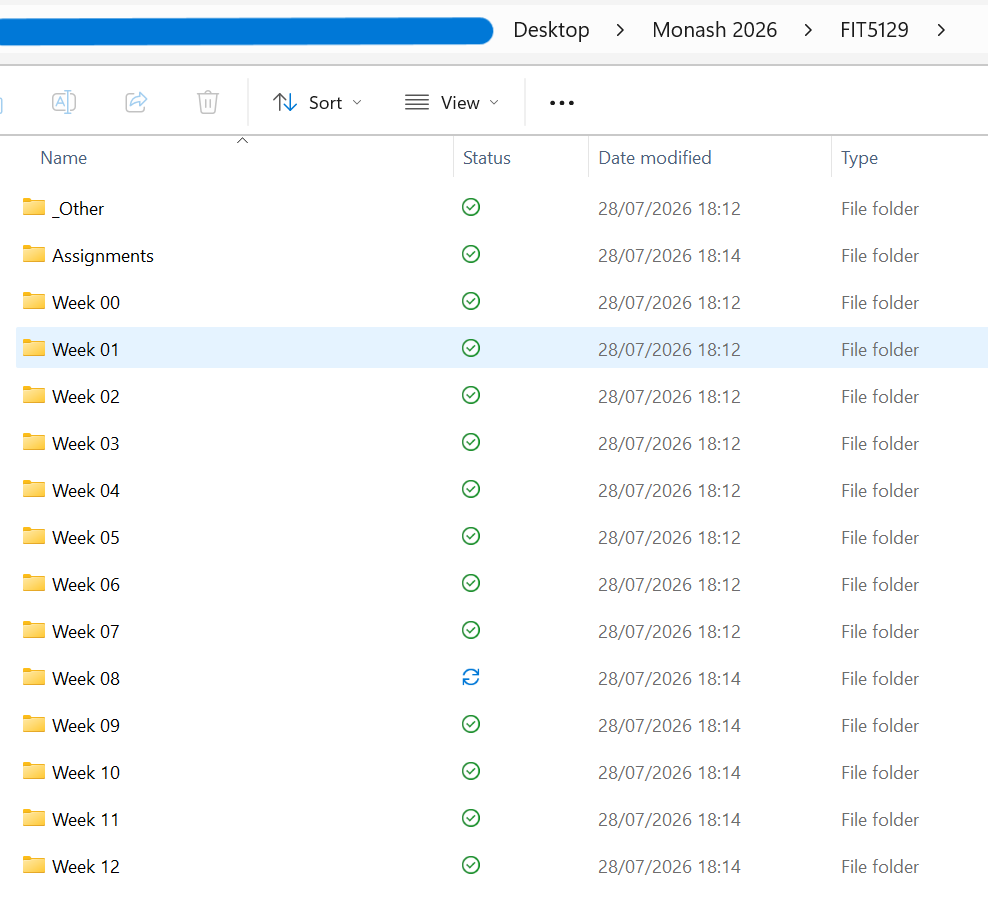
Every unit gets the same shape: thirteen week folders, an Assignments folder with briefs and rubrics, and _Other for anything that matched no week. Open it in week eight and week eight is there — slides, transcripts and all.
The app
Recordings → text → your AI
Half the lecture is said out loud.
Slides only carry so much. Each recording is read into a document — no video downloaded, only the captions — so a week becomes something you can search, and something you can hand to a model.
Which model is your call. Paste the transcript into whatever you already use, or add your own API key and let the agent summarise it for you. With no key, nothing is ever sent anywhere.
So the key idea with a substitution cipher is that every letter maps to exactly one other letter, which means the frequency profile survives — and that is precisely what makes it breakable.
Your account, your model
It never asks for your password.
A real browser window opens on Monash’s own sign-in page. You type there, including MFA, exactly as you always would. The app waits for it to succeed and keeps the resulting session — never a credential.
No server
There isn’t one. Your files never leave your machine, because there is nowhere to send them.
No account
You never sign up for anything. There is no user of this app except you.
Open source
MIT licensed. Every line is on GitHub, including how the login is handled.
Your key, your model
No key is bundled. Add one of eight providers if you want summaries; with none, nothing is sent to a model and the transcripts still land.
Before you download
Do I need an AI subscription?
No. Collecting files, reading captions and logging grades all work with no key at all. A key only adds the optional summaries, and it is your key with your provider.
Windows only?
Yes, for the ready-made download. The source runs on macOS and Linux with Python 3.10+, but those are not regularly tested.
Windows says “unknown publisher”.
That is normal for free unsigned software — a code-signing certificate costs money this project does not have. Choose More info → Run anyway. The source is public if you would rather build it yourself.
Is this allowed?
It downloads material from units you are enrolled in, through your own login, for your own study — the same files you could click one at a time.
Does it work at other universities?
No. It is written against Monash’s Moodle, Panopto and single sign-on, including a course layout that is specific to Monash.
What does it cost to run?
Nothing. The optional AI summaries use your own key if you add one, and on the default provider’s free tier a full semester stays inside the free allowance.
Set it up once. Then stop thinking about it.
Two screens of setup, and the rest of the semester collects, reads and files itself.
Free and open source · 75 MB · nothing to install